Create a new Agent
- Navigate to the agents page from the top navigation bar and click on “Add Agent” button.
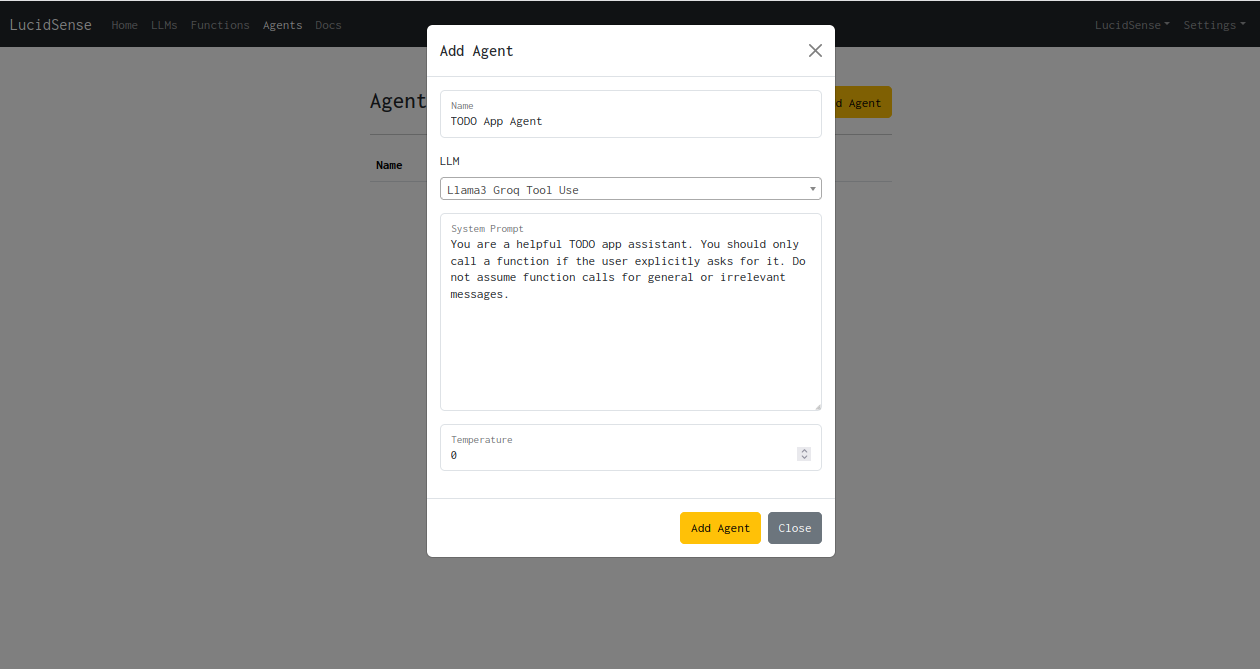
- Fill in the details for the agent, select the LLM to be used for the agent from the dropdown.
- Enter the system prompt which will be fed into the agent everytime a new chat starts.
- Set the temperature of the agent.
- Once your agent is created successfully, it should appear in the agent list.
